Finally a proper tracking panel
Behind the scenes, we never stop working—and we hope these new changes are as exciting for you as they are for us. This update brings a much better book-tracking experience, plus a few smaller improvements.
Track your books like never before
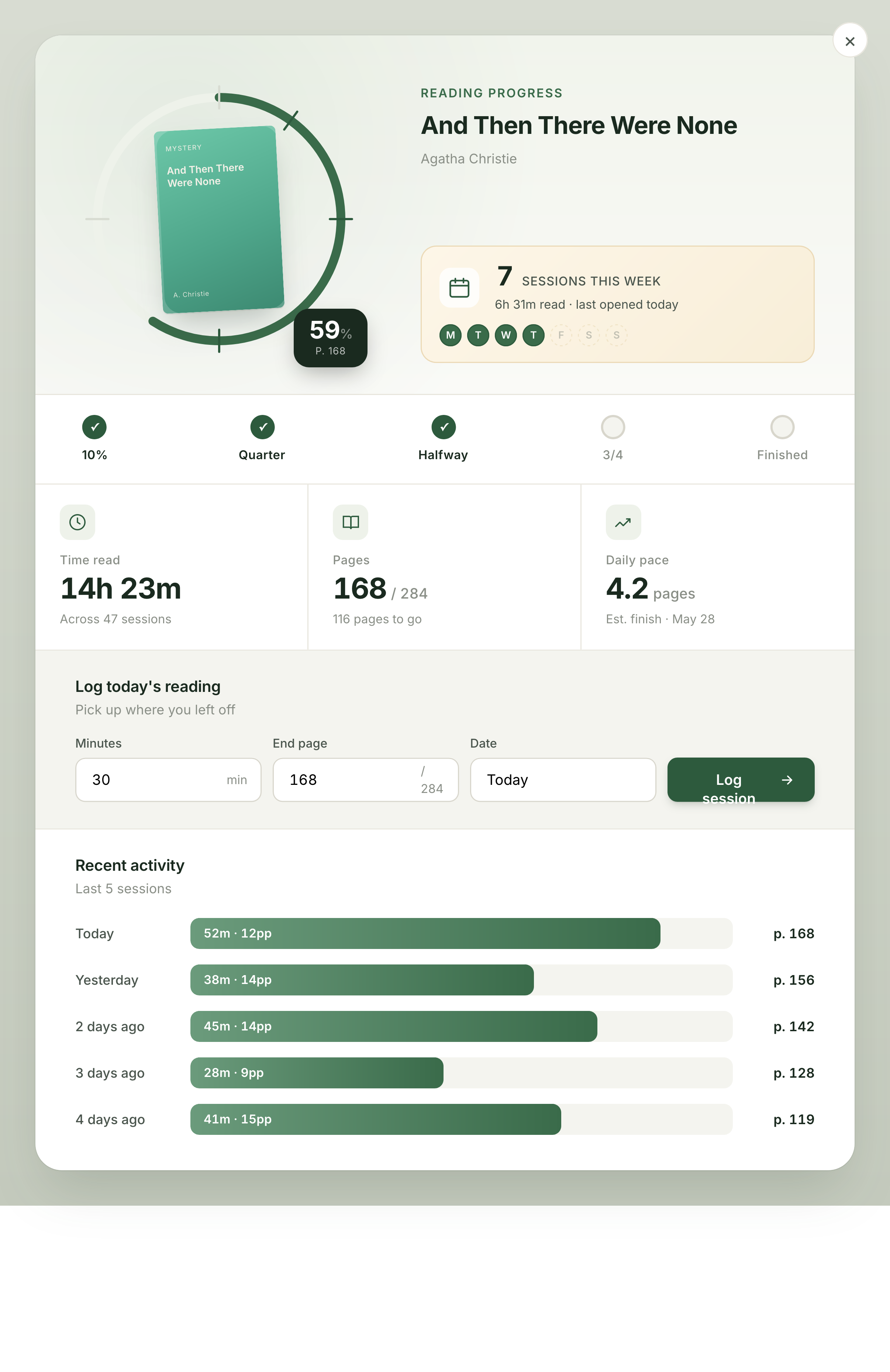
We know the previous book statistics and tracking weren’t exactly what you (or we) wanted. We think that’s changed now.
When you click the clock icon next to a book you’re currently reading, a fully revamped tracking panel opens.
Here’s what you can do there:
- See weekly sessions at a glance
- Track reading speed over time
- Follow your progress as you go
- Add a new reading session in seconds
Other improvements
Here are a few smaller improvements we shipped as well.
Click!
You can now click on a book title or cover in your library to open the book page!
Help
We’ve had our Help Center for a while and we’ll keep it active. But if you need a bit more help, you can now click the green chat bubble in the bottom-left corner. We are responding as fast as we can!
Spring decluttering
We removed the feedback button in the bottom right corner of the dashboard.
We still want your feedback. Reply to one of our feedback emails, or write us a message in the chat.
That’s it for today. See you very soon!
P.S. If there’s something you want to see next, email us or message us in the chat.
Happy reading!
— Your BookNest Team